About Picture Audio Maker
Privacy Policy: https://www.studyhan.com/privacy-policy PicAudio File is a video file that consists of a still picture/image/photo and a normal audio/music/voice/sound. The tool helps you: # to record your audio/music/vo
Privacy Policy:
https://www.studyhan.com/privacy-policy
PicAudio File is a video file that consists of a still picture/image/photo and a normal audio/music/voice/sound.
The tool helps you:
# to record your audio/music/voice/sound, and generate a video file with a picture you chose.
# to add a picture/image/photo with title into an existing audio/music/voice/sound file.
# to replace your original video with a still picture/image/photo, and keep the original audio. It eliminates the concerns of exposure of visual privacy recorded in a video.
Use cases:
# In WeChat/WhatsApp/Telegram, you may record a video/audio with voice, and convert it into a PicAudio file, then share it to any groups as you do for a normal video file, which could be forward and save without any limitations.
# If you have a music video, the size is too big to share, you may convert it into a much smaller PicAudio file and share it as a normal video file.
# To add a cover on a music audio, and share it as a video to friends.
# To crop an audio/video file into pieces.
# To record audio/music/voice/sound and share it as a video.
Steps to record a Picture Audio File
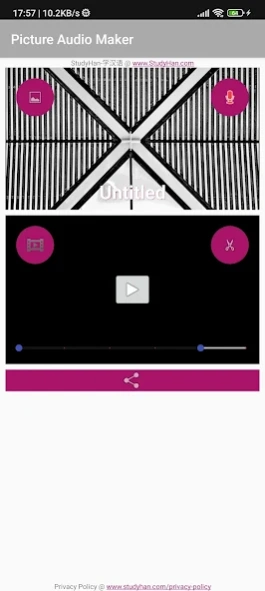
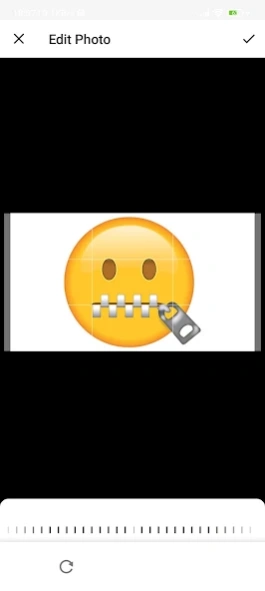
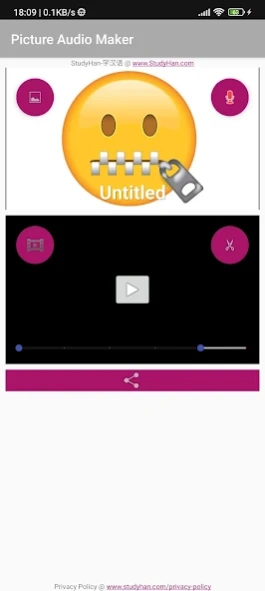
# Click the [Gallery] icon located at left-top, to pick a main picture
# Click the [PicAudio] word in upper box, to edit the title of the picture
# Click the [Record] icon located at right-top, to record your voice into a Picture Audio File
# Click the [Play] icon at center of lower box, to play the recorded audio
# Click the [Share] button located at bottom, to share your recording to WeChat/WhatsApp etc.
Steps to convert existing audio/video file into a Picture Audio File
# Click the [Gallery] icon located at left-top, to pick a picture
# Click the [PicAudio] word in upper box, to edit the title for the picture
# Click the [Record] icon located at left-bottom, to pick a audio/video
# Drag the left/right pin of the range bar, to define the range of audio/video for trim/crop
# Click the [Cut] icon located at right-bottom, to trim/crop and convert the audio/video file into a Picture Audio File
# Click the [Share] button located at bottom, to share the Picture Audio File to WeChat/WhatsApp etc.
Rating:
The app focuses on a niche area for specific usage only, please do not give a low rate if it does not fit your usage.
If you encountered any problem, please send email to support.
Technical Info:
# The app supports all kinds of video/audio formats e.g. mp3, wav, aac, amr, mp4, 3gp, m4v, m4a, avi and etc. It converts the file into a standard mp4(h264+aac) video file.
# There is no limitation on size and length of video/audio files, the loading and processing time depends your mobile device, be patient when you process a big file.
# All PicAudio files are added into System Gallery and stored in folder [/sdcard/Movies/picaudio/] only.
# Temporary files are stored in the local storage folder [/sdcard/Android/data/com.netsdo.picaudio/cache] only, if you want to free up space, you may remove these files.
# The app requires permission to record screen. It is used to capture the still picture and its timing only, it it will not record any other parts of screen.
# The app does not collect any personal or device data.
# Google Analytic may collect app usage data for quality improvement purpose only.
Privileges Required:
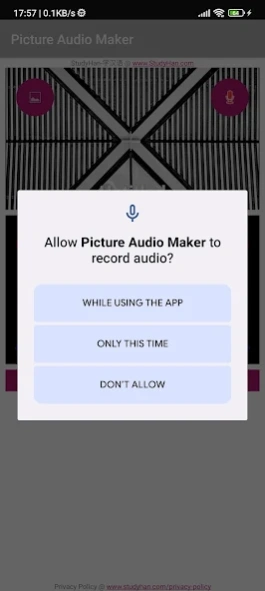
Record audio (RECORD_AUDIO) : to record an audio/music/voice/sound.
Record Screen (FOREGROUND_SERVICE) : to supply picture when recording audio/music/voice/sound.
Permanent notification : It is required by Android for Screen Recording.
Access and change files/media on internal storage (READ_EXTERNAL_STORAGE, WRITE_EXTERNAL_STORAGE) : to store the recorded or converted PicAudio files.
Below privileges are required by Google Analytic
ACCESS_NETWORK_STATE, INTERNET, WAKE_LOCK, BIND_GET_INSTALL_REFERRER_SERVICE